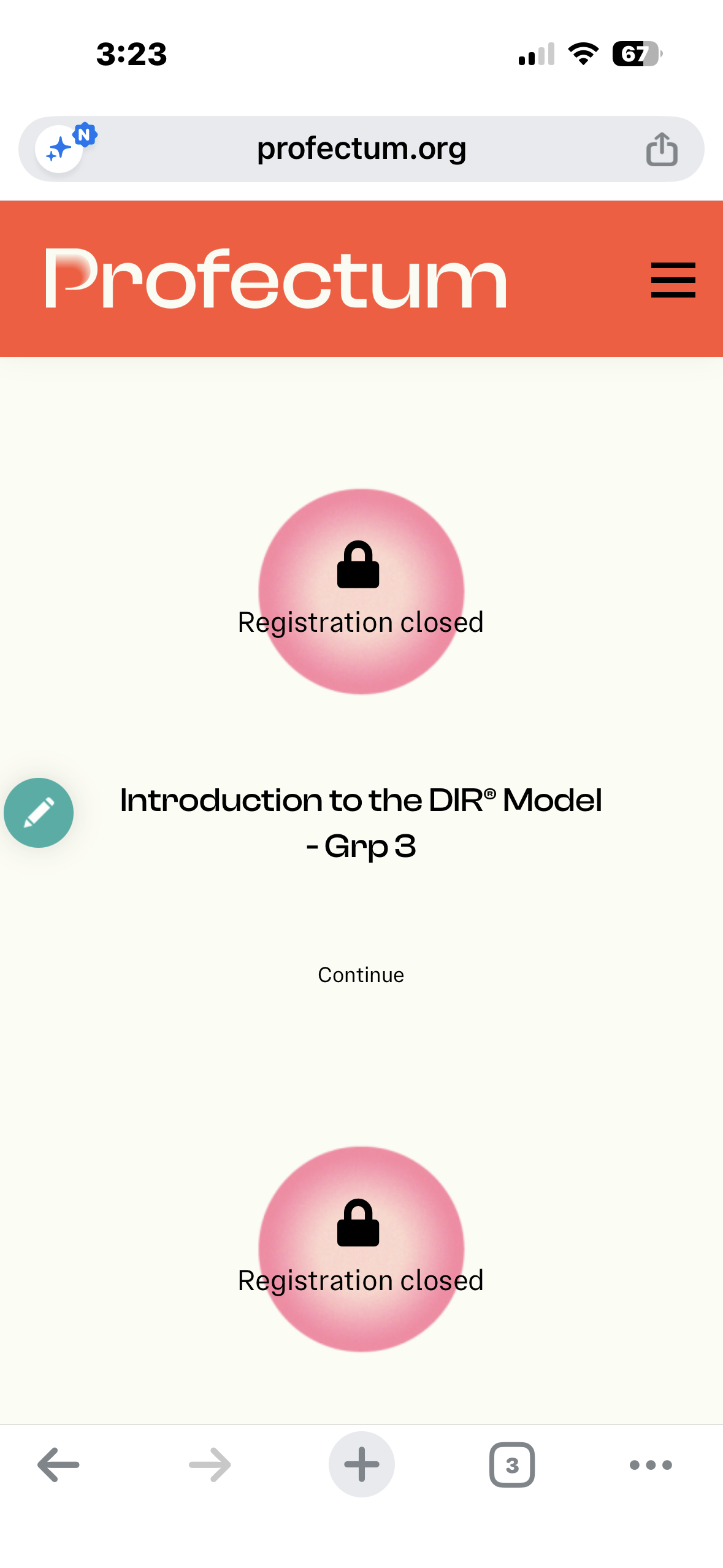
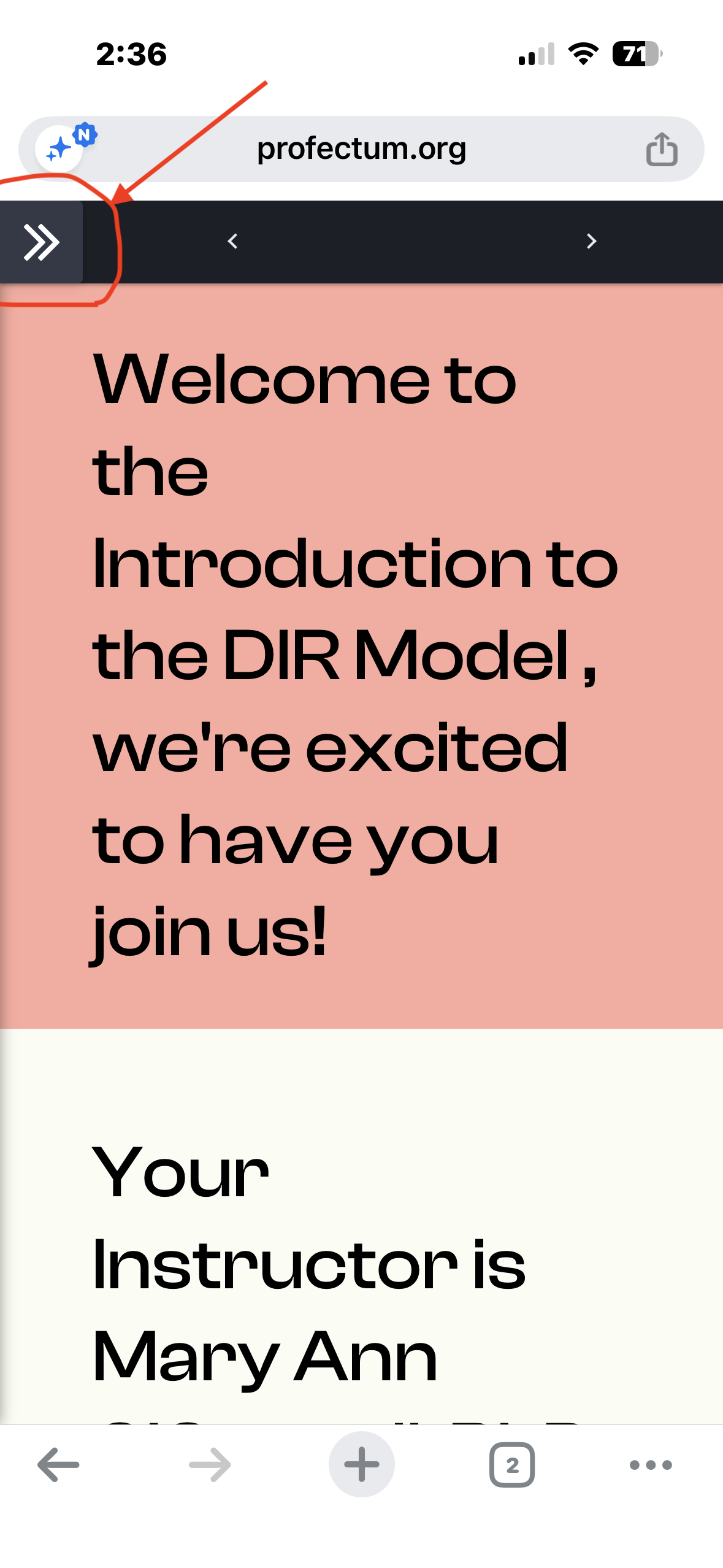
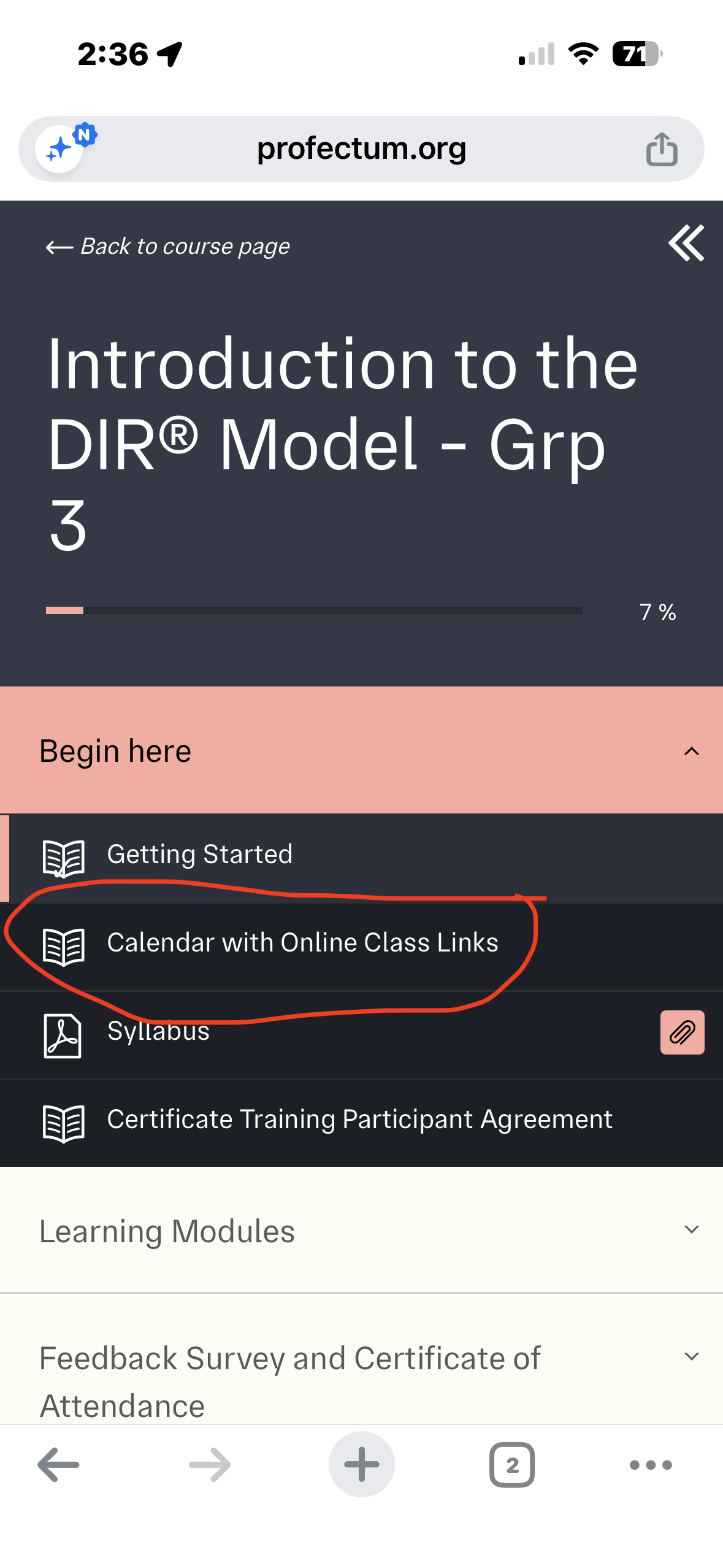
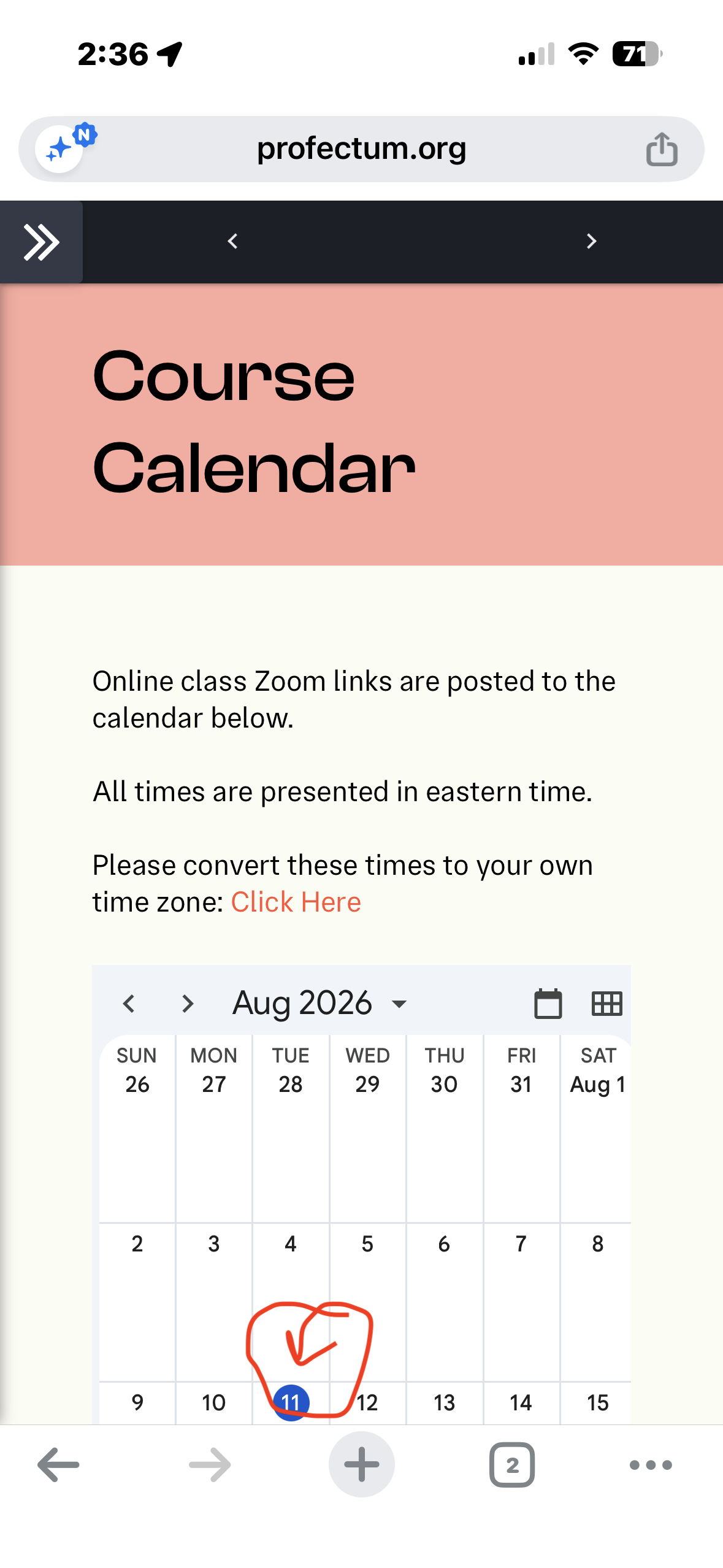
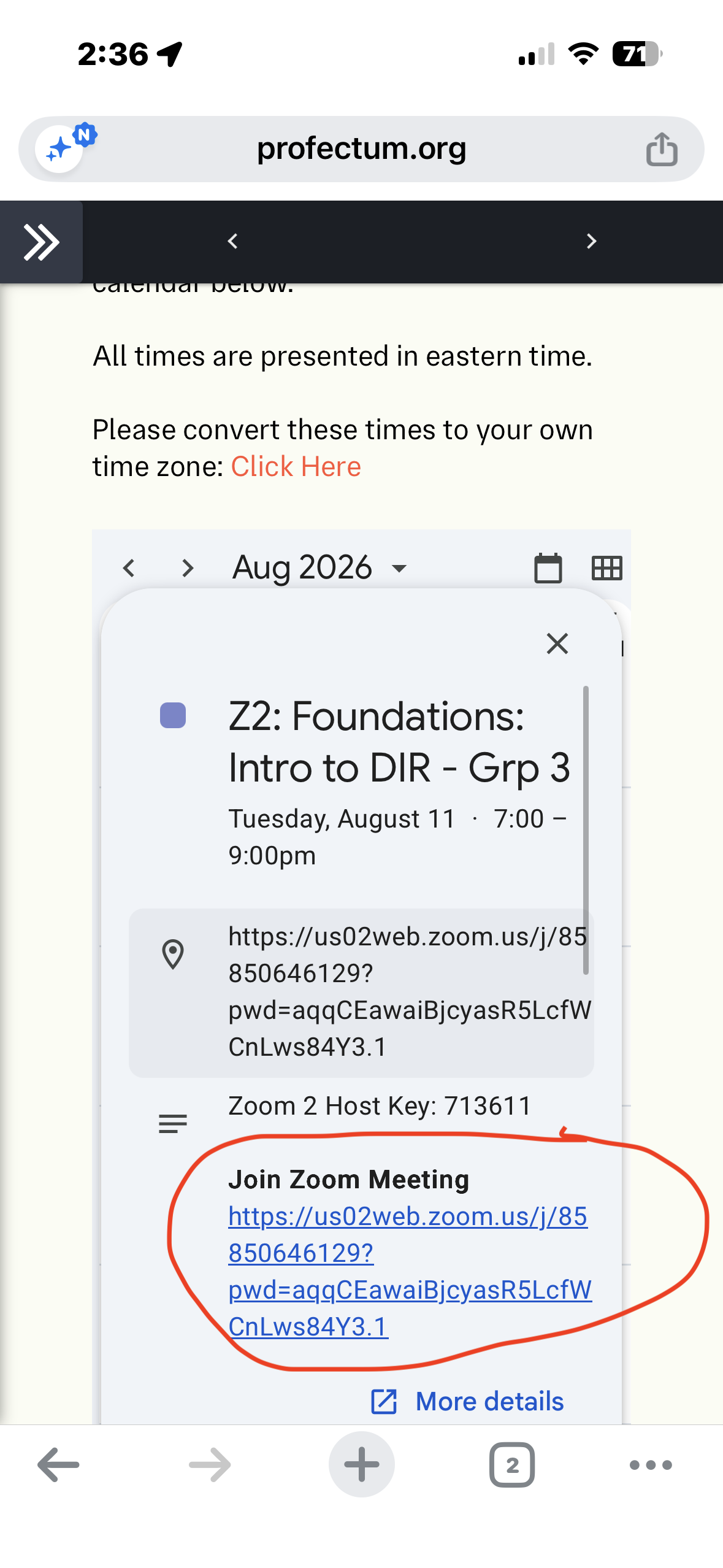
Please note: The course name shown in the screenshots may vary depending on your enrollment. Your course may appear differently, so simply follow the prompts to access your course materials and join the class.
For the best course experience, we recommend accessing the course from a computer whenever possible.
To access the LMS from a phone or tablet
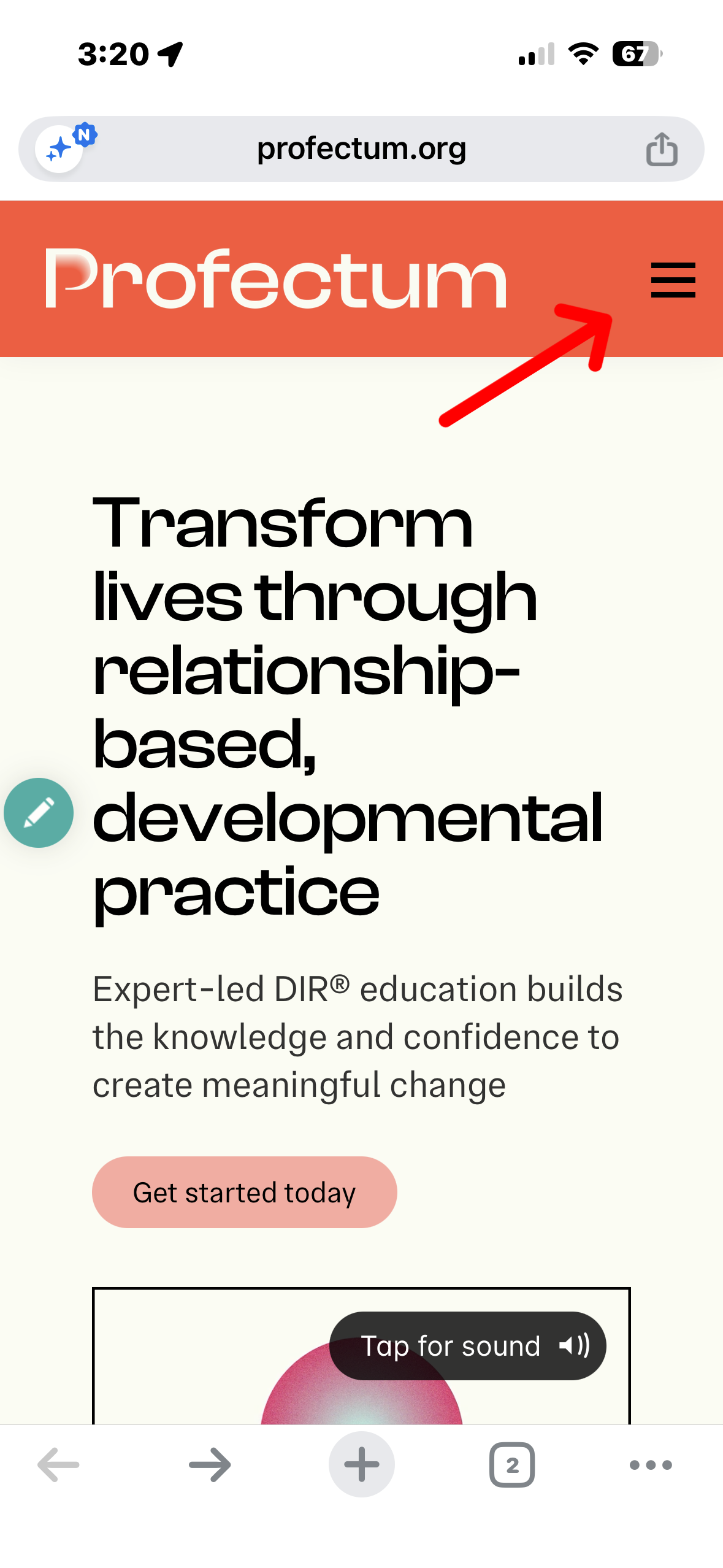
Go to profectum.org and tap the ☰ menu.
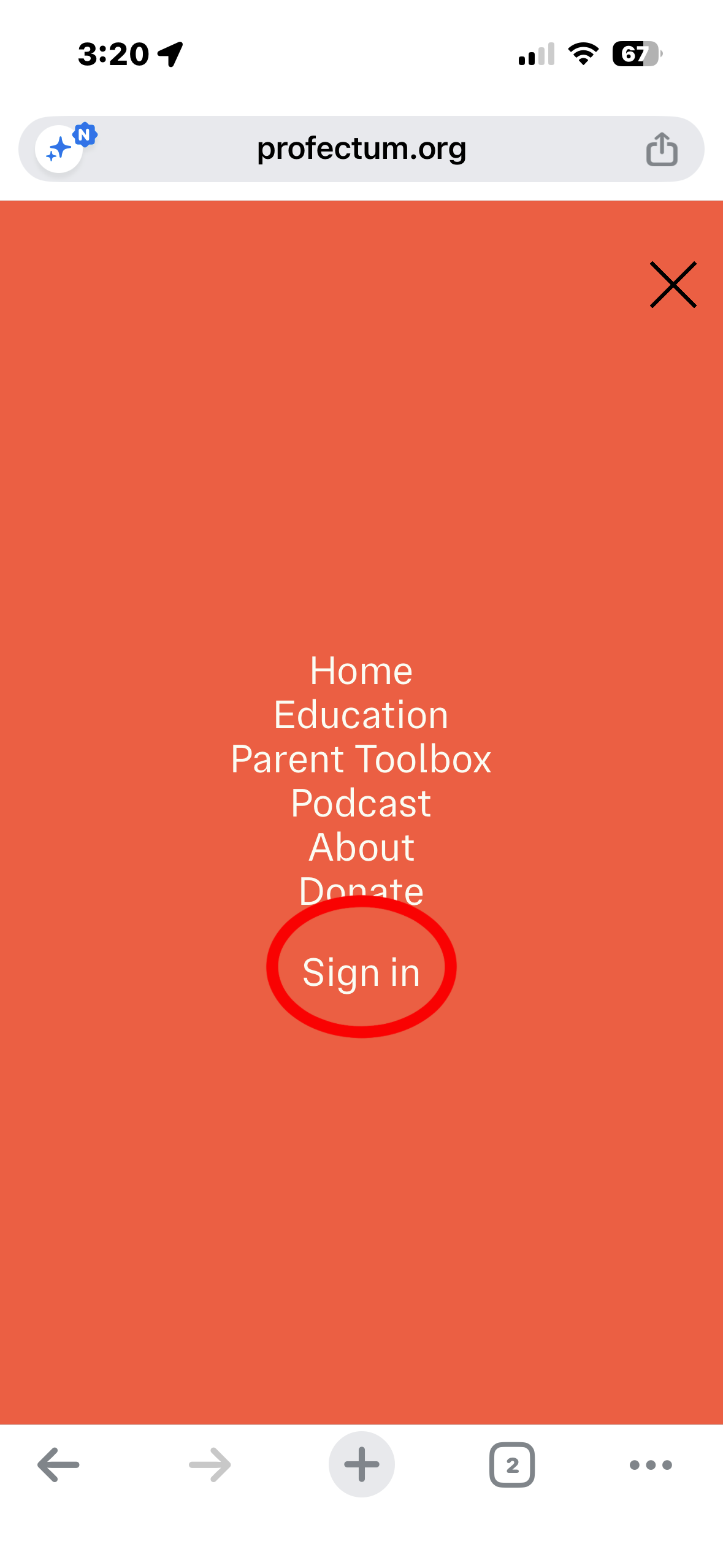
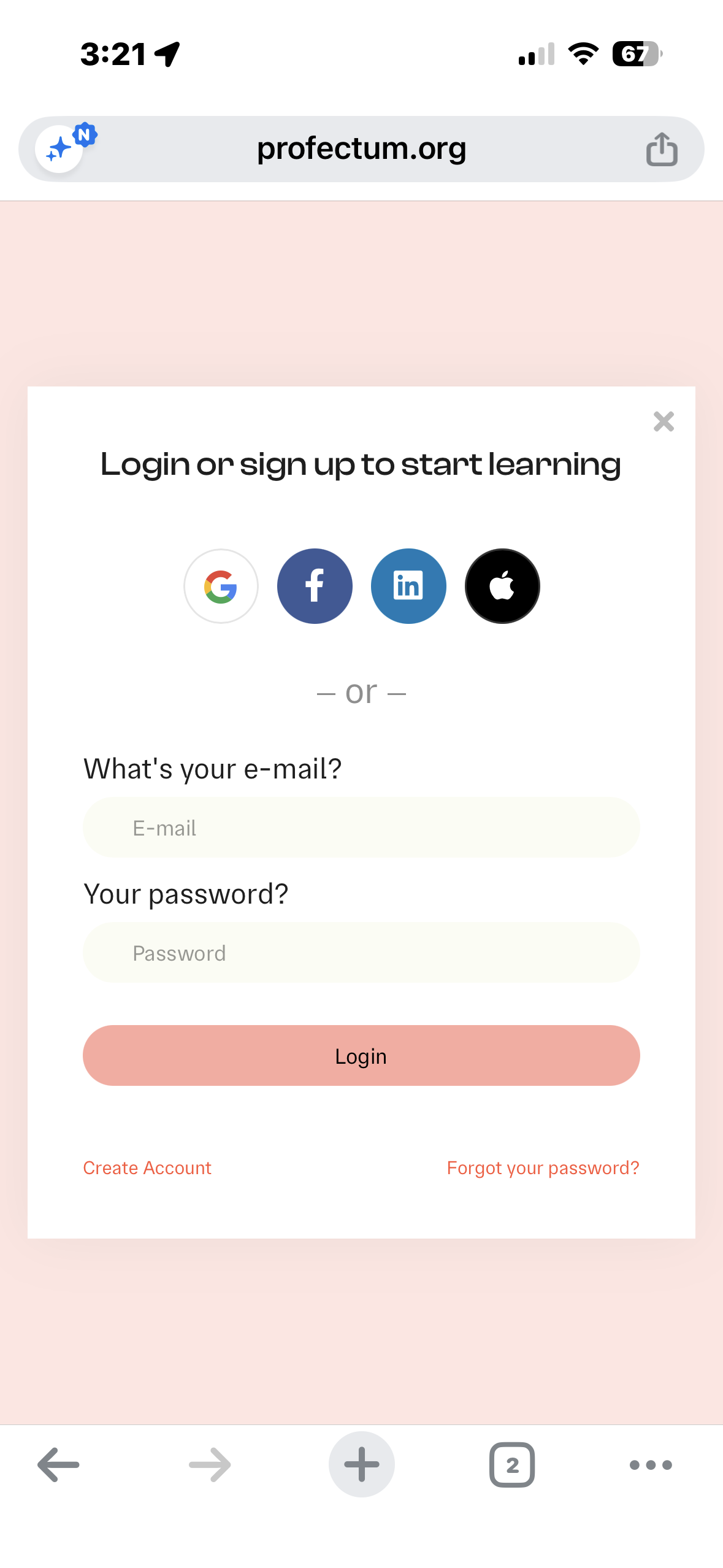
Select Sign In and log in to your account.
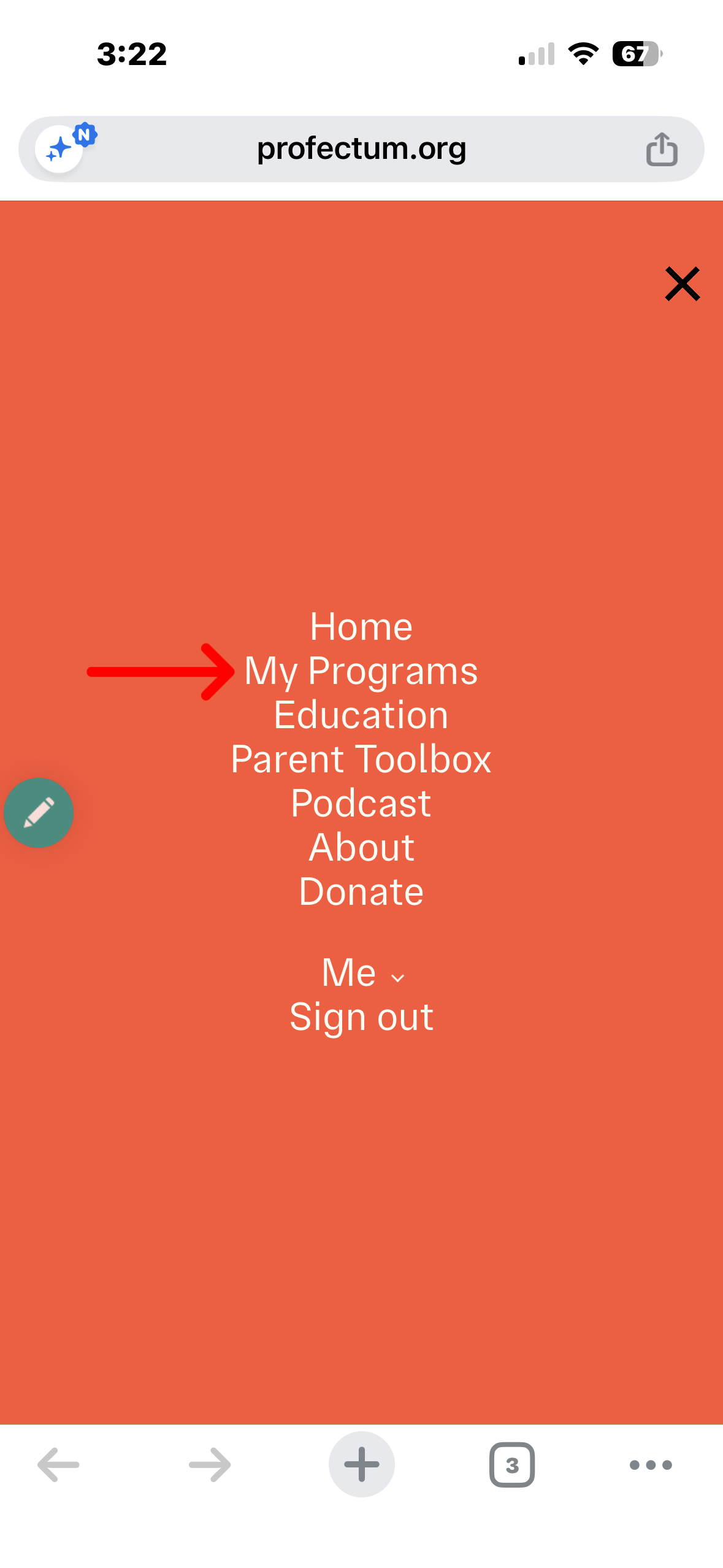
Select My Programs from the navigation menu.
Find your course and select Continue to begin.
Access course materials from a phone or tablet
Please review the screenshots below for guidance on how to:
Access your course materials
Locate and join your Zoom class
Navigate the course from a mobile device
To rename yourself in Zoom
Open the Participants list
Find your name
Select your name and look for Rename
Enter the name you want to use
Tap or click Save/Done/Rename
Please make sure your name in the Zoom session clearly identifies who you are so that we can accurately track your attendance.